Introduction
Buying train tickets can be a hassle with constant checks and comparisons of train schedules and available seats. This article introduces how to utilize Cursor and 12306 MCP to create an intelligent ticket selection system. With simple dialogue, you can obtain the most suitable train schedules and seat availability, as well as generate travel guides and map annotations for your journey. Not only does this make ticket purchasing more convenient, but it also enhances the travel experience.

The Problem
Every time I want to buy a ticket, I find myself calculating departure and arrival times, choosing between high-speed trains or hard sleepers, and worrying about whether I can catch the 6 AM train or if the 11 PM train will wake up my child. It’s exhausting.
The Solution
To alleviate this, I decided to leverage AI to create a new ticket selection method. With Cursor and 12306 MCP, once everything is configured, I can simply state my needs in everyday language in the Cursor AI dialogue box, and it will provide me with the best train options and seat availability.
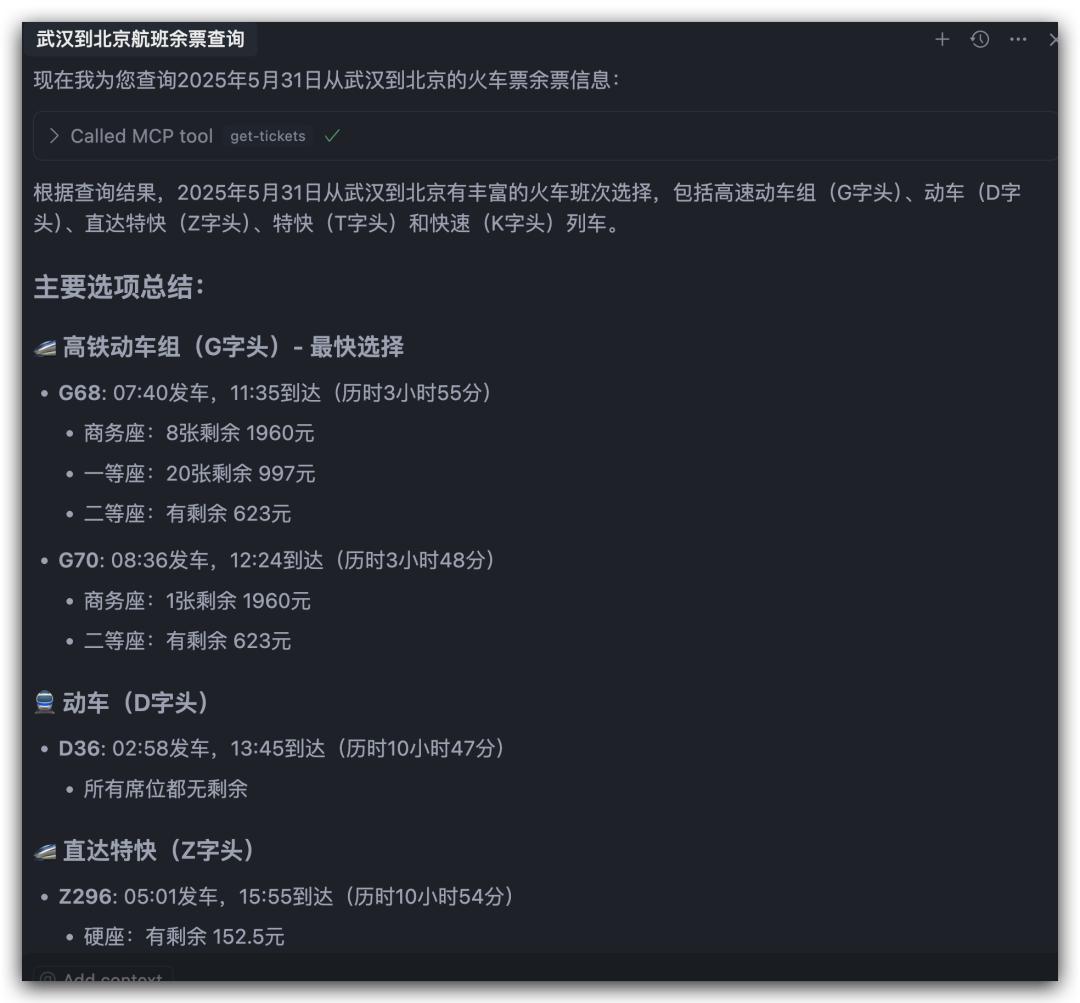
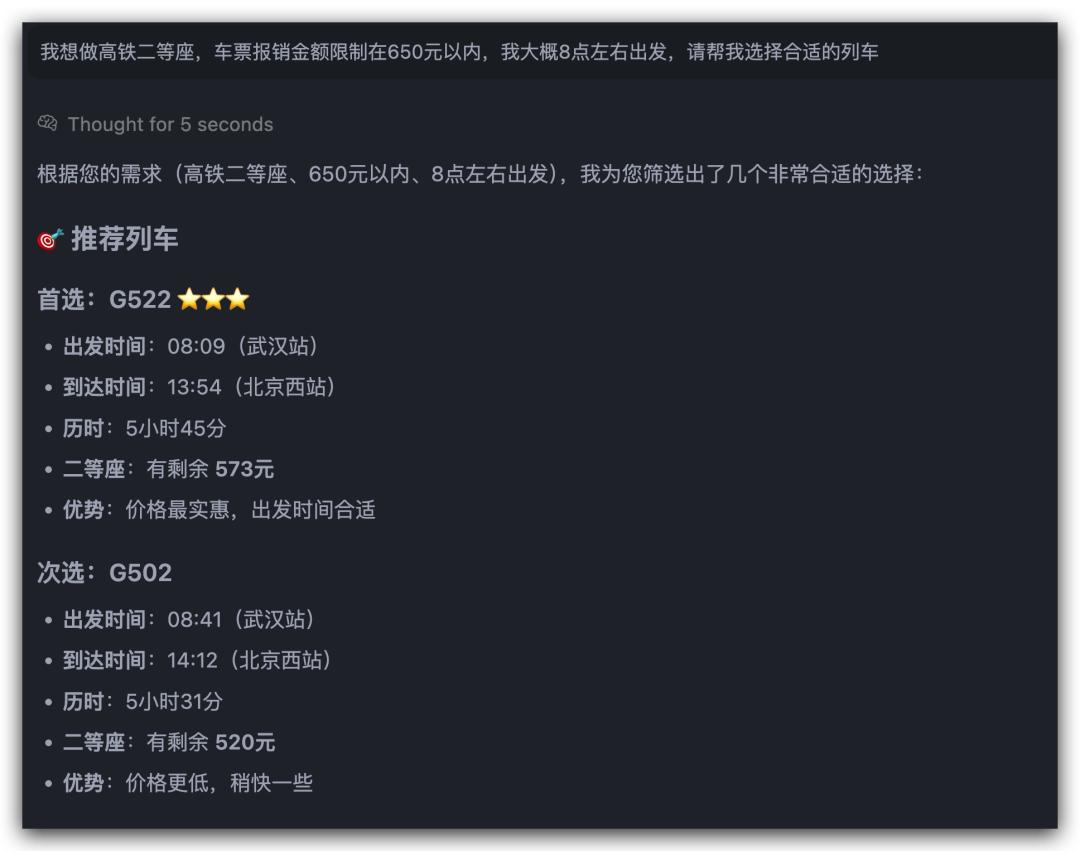
For example, I can request a second-class seat on a high-speed train with a ticket price limit of 650 yuan, departing around 8 AM. Cursor will then present the suitable train options, including ticket prices and availability.
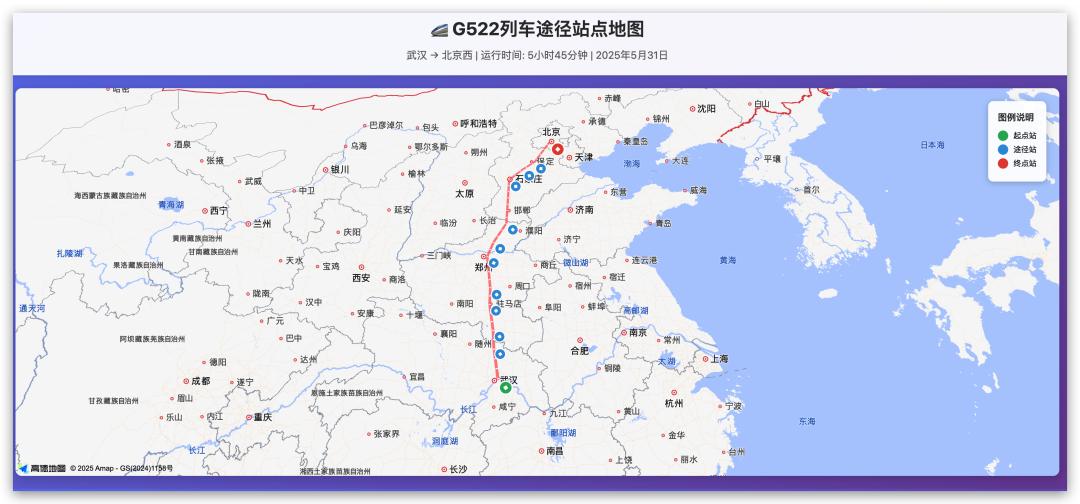
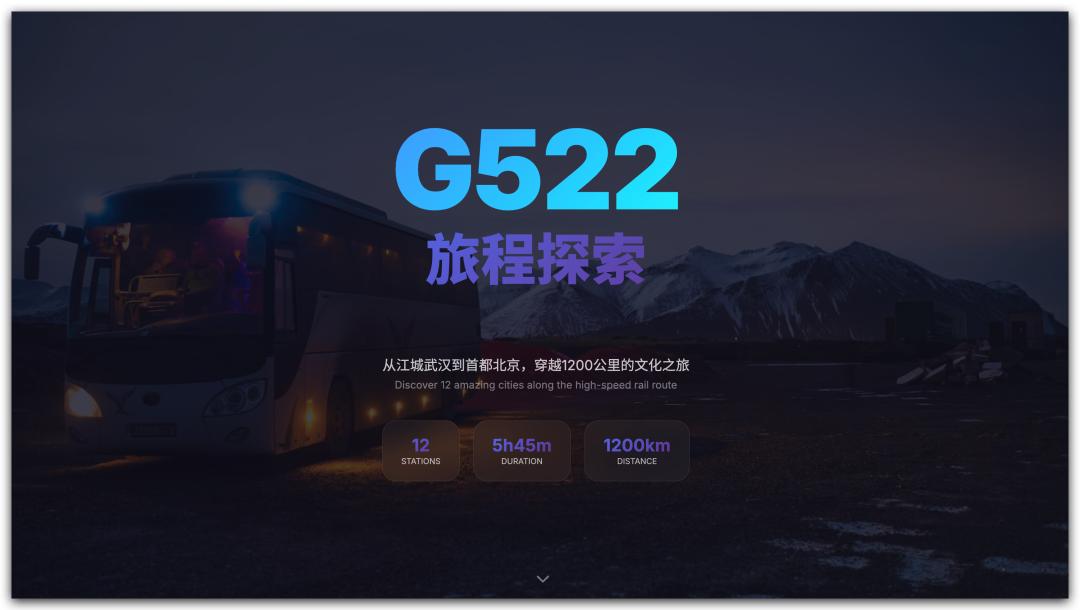
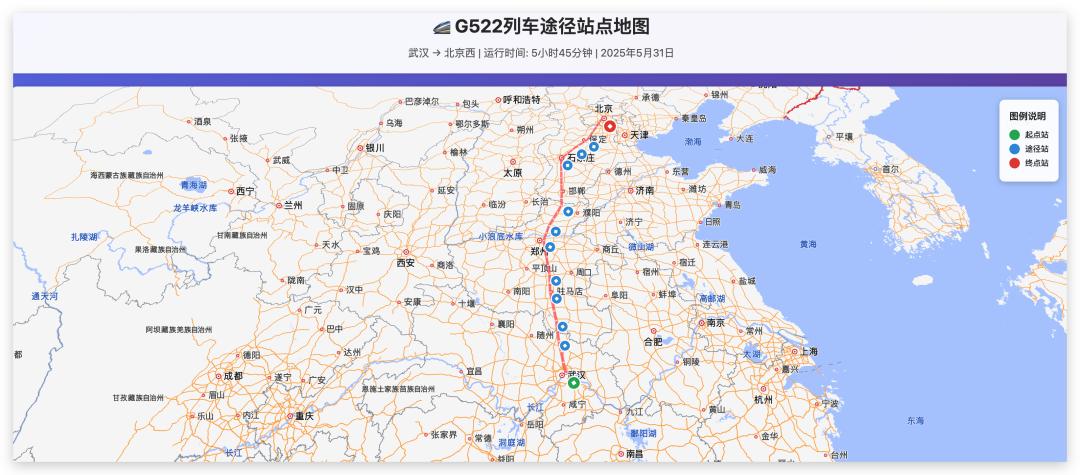
Once I confirm the train, I can ask Cursor for the stations it stops at and their respective stop times. By integrating with Gaode Map MCP, I can create a map highlighting the stations along the route. Using Tencent’s EdgeOne Pages MCP, I can deploy this as a webpage with a single click.
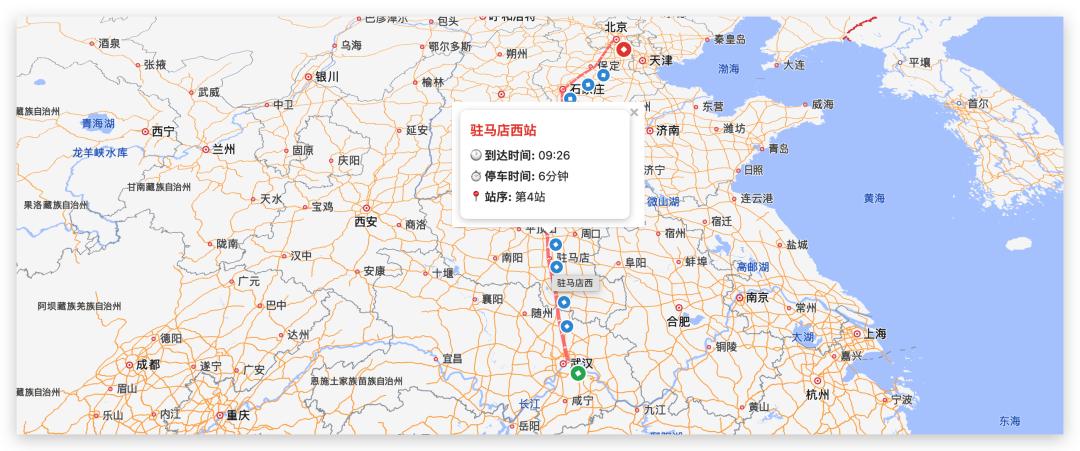
Hovering over each station on the map will display arrival times, stop durations, and station order.
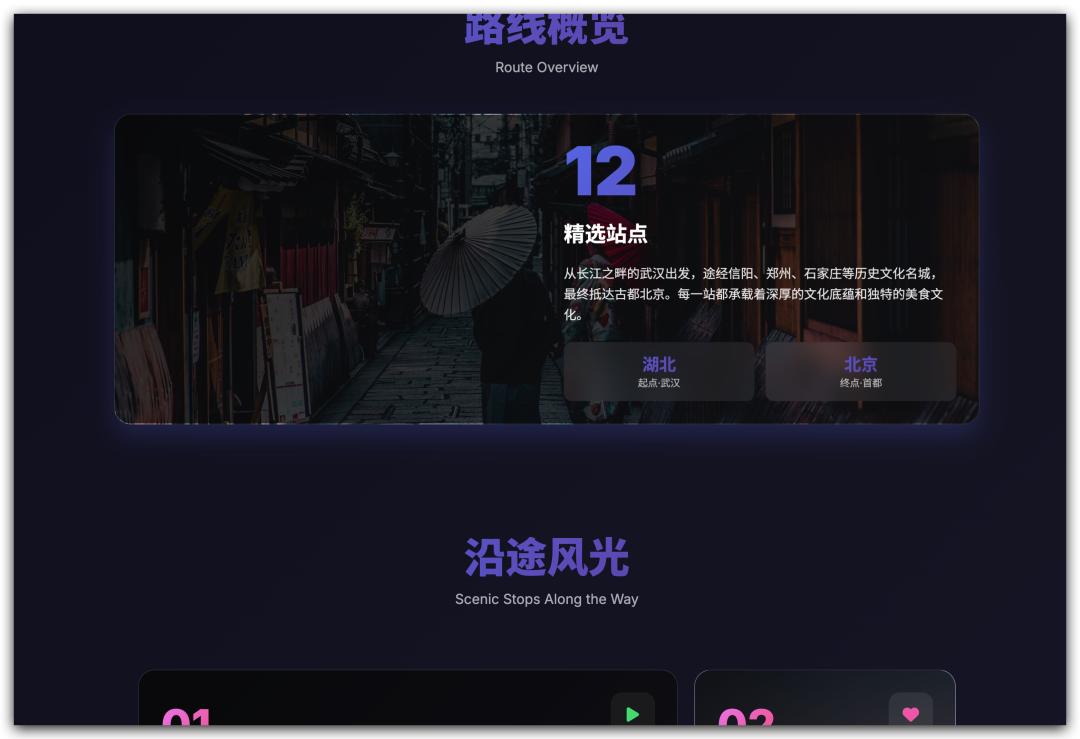
To pass the time during the journey, I can even request Cursor to provide introductions to the stations along the way, including local attractions and food recommendations.
Additional Features
Moreover, a station arrival reminder service is included, preventing the common issue of missing stops while sleeping, as it will even call to wake you up. 😄
While this method is effective and enjoyable, carrying a computer around to use Cursor isn’t practical for everyone. Thus, I aimed to make it more accessible and usable anytime, anywhere.
Deployment
I published the MCP as an intelligent service. After some tinkering on Alibaba Cloud, I configured 12306 as a custom MCP and deployed it.
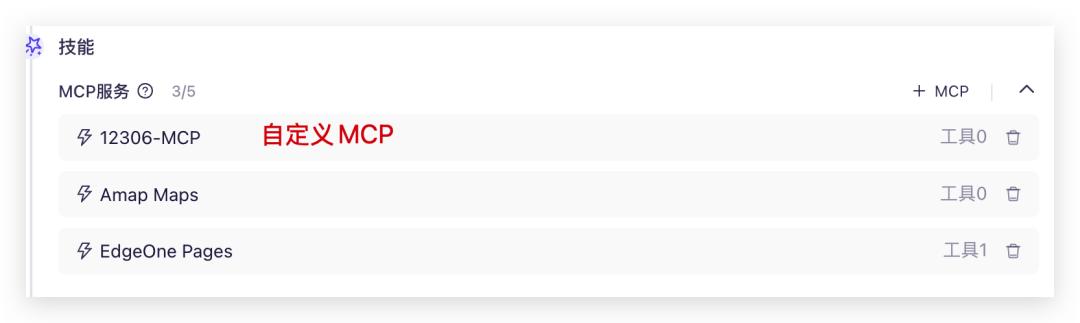
Now, it’s an easily accessible intelligent application. By simply entering text in the dialogue box, users can access the intelligent ticket selection service and a simplified travel guide for the stations along the route.
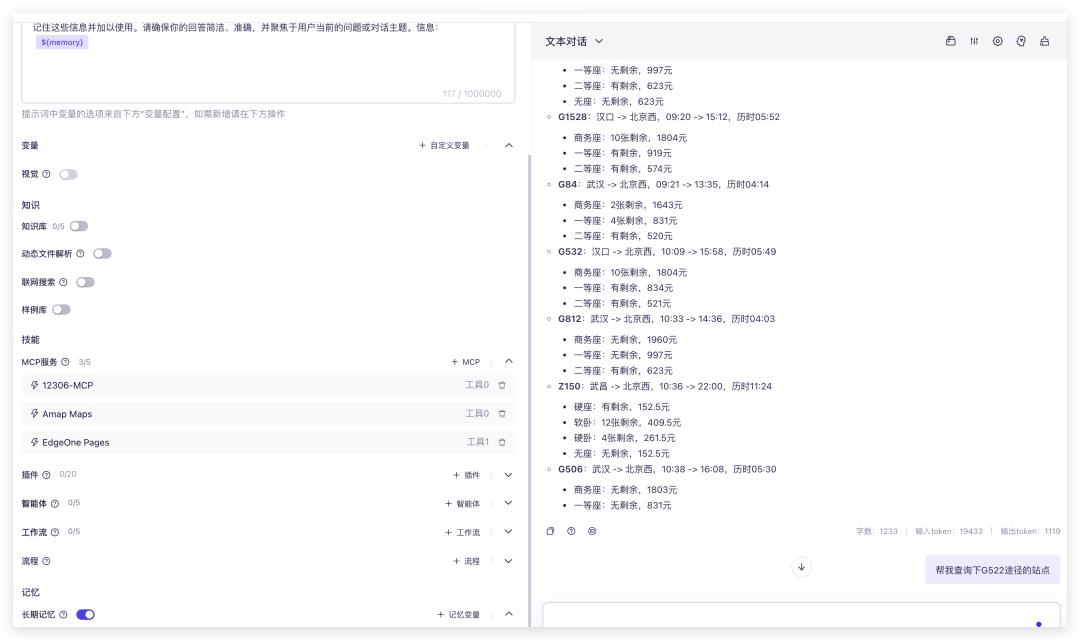
In the future, I plan to create a lightweight application. If you’re interested in trying it out, let me know in the comments, and I’ll prioritize sending it to you.
Step-by-Step Guide
I also want to guide you through building such a system yourself. If you have the capability, here’s how:
- Download the source code and deploy it locally using the following commands:
Ensure that the project appears correctly in Cursor, indicating successful local deployment.git clone https://github.com/Joooook/12306-mcp.git cd 12306-mcp npm run build node ./build/index.js

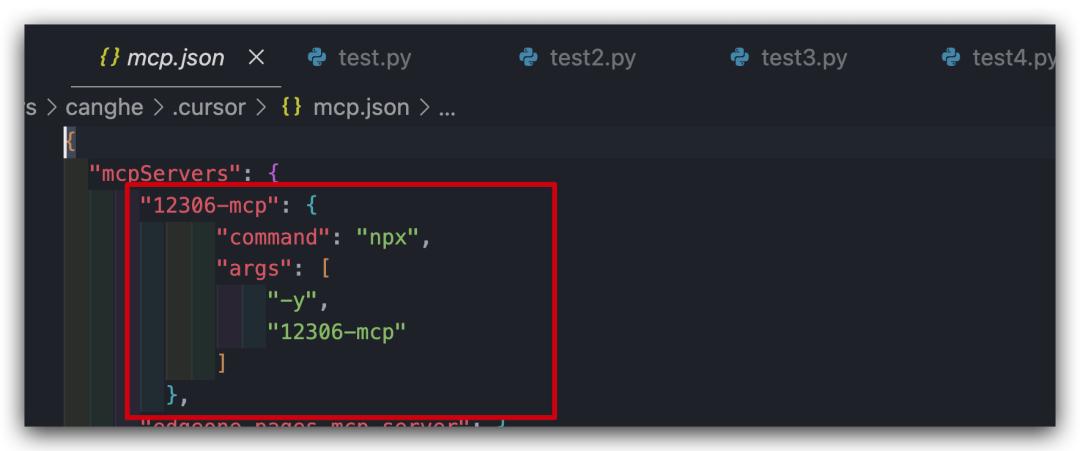
- Configure the MCP in Cursor (if you encounter difficulties, refer to previous articles for guidance).
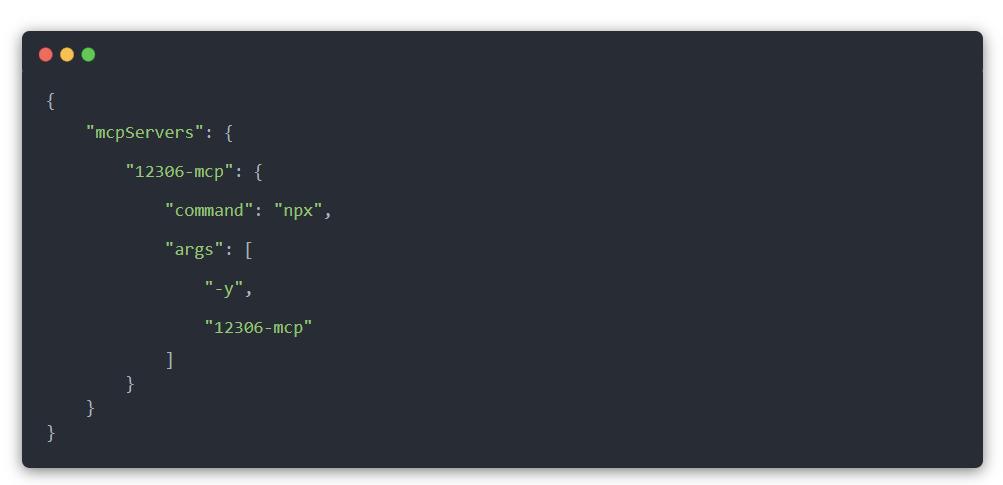
- Paste your configuration here:
Once completed, the light will turn green.
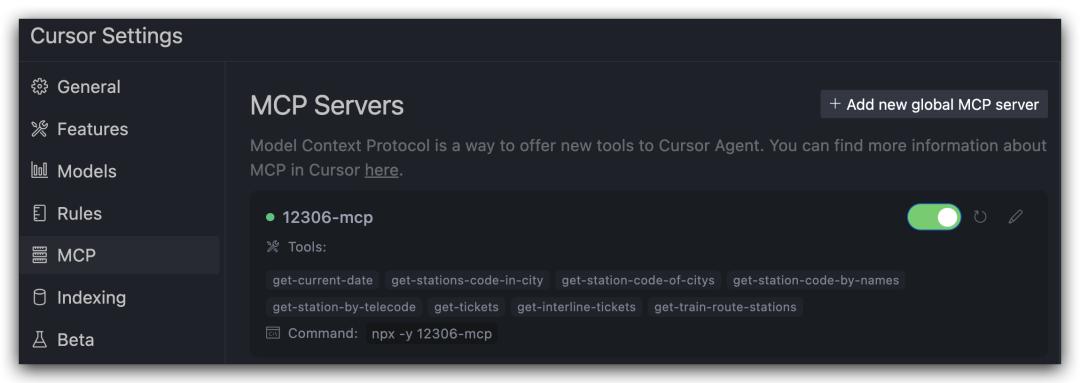
You can test the following functionalities:
- Check seat availability: “Please check the availability for a train from Wuhan to Beijing on May 31.”
- Select a train: “I want a second-class seat on a high-speed train with a reimbursement limit of 650 yuan, departing around 8 AM.”
- Query train stop stations: “Please check the stations for train G522.”
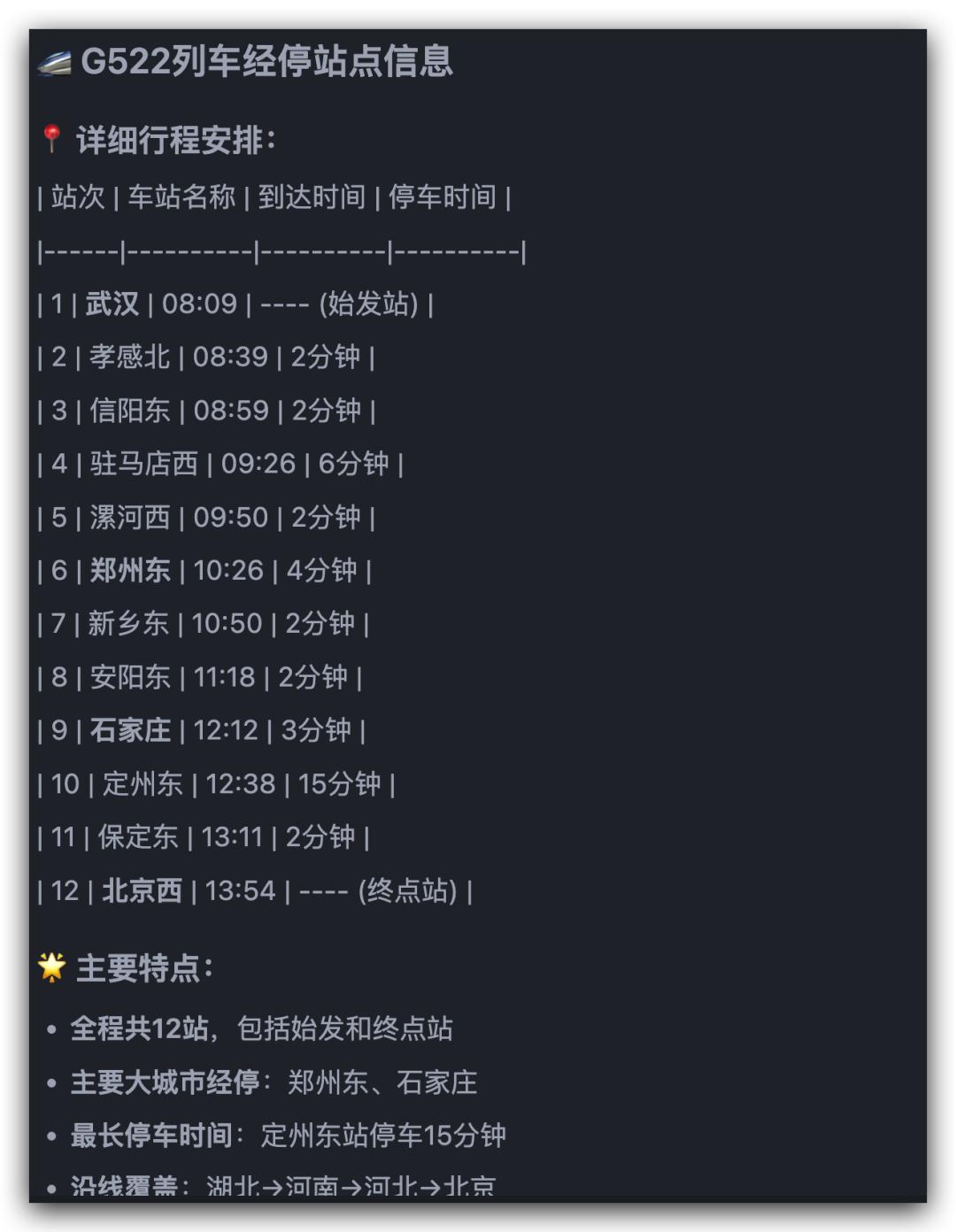
- For the station map, use the modified prompt to generate a Gaode Map JSAPI code that marks the stations along the route with arrows and displays arrival times when hovering over the icons. Deploy this as
yb.html.
To enable one-click deployment, pair it with Tencent’s edgeone-pages-mcp-server, which allows for direct webpage deployment and access.
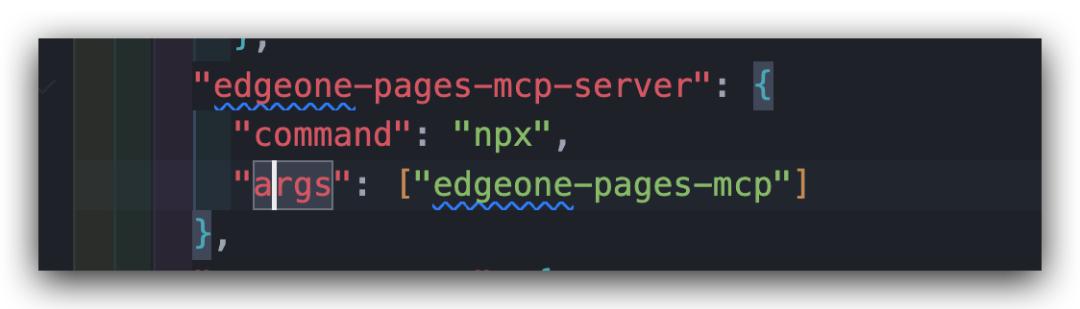
If everything goes well, Cursor will provide a link to access the generated map.
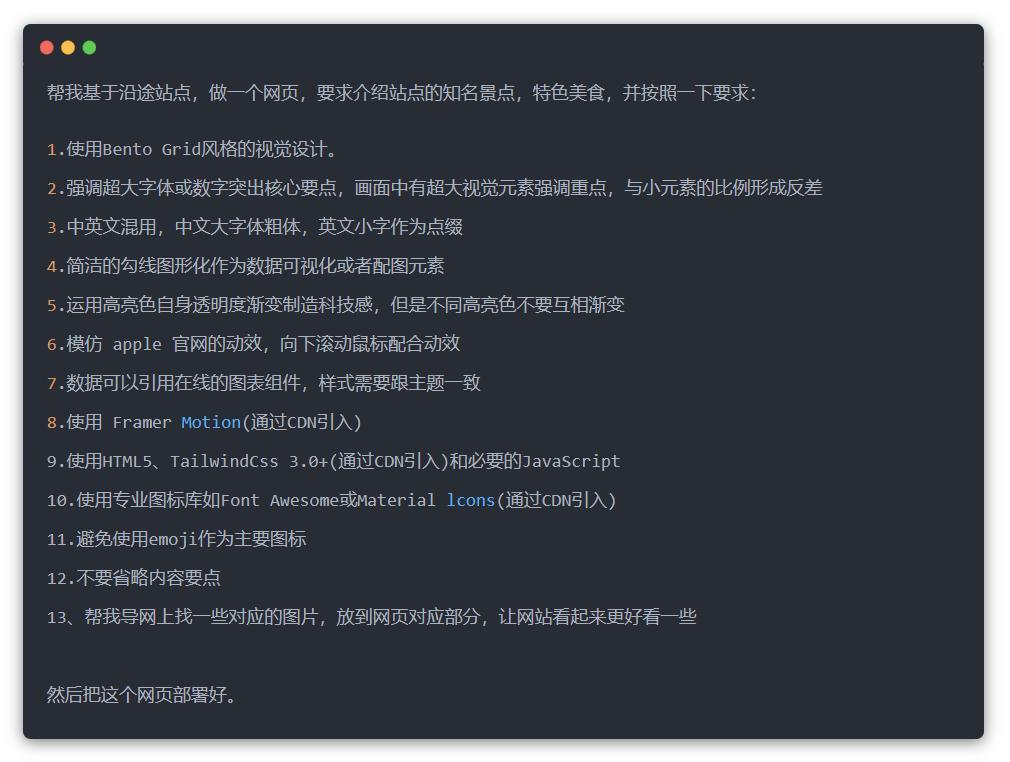
- Finally, create a webpage for scenic views based on previous templates with some modifications.
Once everything is set up, open the link to view your webpage.
While AI might not solve every problem, it has certainly alleviated my travel concerns and added enjoyment to my journey. This, perhaps, is the greatest value AI offers me at the moment.
Comments
Discussion is powered by Giscus (GitHub Discussions). Add
repo,repoID,category, andcategoryIDunder[params.comments.giscus]inhugo.tomlusing the values from the Giscus setup tool.